
Help & Support
How to Create a Reel
From idea to video in 5 simple steps
Write Your Idea
Type a story idea, topic, or prompt. You can write in any language — Hindi, English, Tamil, Telugu, and more. Even a single sentence works!
A brave warrior discovers a magical sword hidden in an ancient temple, but the sword has a mind of its own...
Choose Your Style
Pick an art style (Anime, 3D, Realistic, etc.), select a voice, and choose your video duration (15s, 30s, or 60s).
 Realistic
 Anime
Anime Watercolor
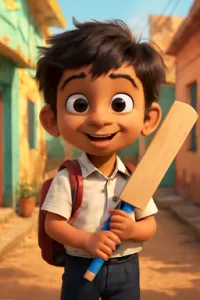 3D
3D Comic
ComicGenerate Your Reel
Tap "Create Reel" and the AI writes the script, creates images, adds voiceover, captions, and background music — all automatically.
Creating your reel...
Scene 6 of 8
Edit Scenes
Review each scene in the editor. You can change text, regenerate images, swap voices, adjust music, or reorder scenes.

"The warrior reached into the altar and pulled out the glowing sword. As his fingers wrapped around the hilt, a voice echoed through the chamber..."
Export & Share
Download your video as MP4 and share directly to Instagram Reels, YouTube Shorts, or TikTok.
Verify & Download
MP4 · 1080×1920 · 8 scenes
Frequently Asked Questions
Need Help?
Reach out to us and we'll help you out.